
Turn what you watch
into what you learn.
보는 영상이,
내 배움이 되도록.
AnyToAny Studio builds apps for understanding and learning from video in other languages. Our first app, SubLive, writes and translates subtitles on your iPhone. Your audio and video stay on the device.
애니투애니 스튜디오는 다른 언어로 된 영상을 이해하고 배우는 앱을 만듭니다. 첫 앱 SubLive는 iPhone 안에서 자막을 만들고 번역합니다. 음성과 영상은 기기에 남습니다.
Subtitles for any video.
어떤 영상이든, 내 언어 자막으로.

Open a video from Photos or paste a link. SubLive recognizes speech on your iPhone, splits it into readable lines, and translates each line as it appears.
사진 보관함에서 영상을 고르거나 링크를 붙여 넣으세요. SubLive가 iPhone 안에서 음성을 인식하고, 읽기 좋은 줄로 나누고, 자막이 생길 때마다 번역합니다.
- On-device speech recognition in 40 language variants
- Live translation with dual subtitles
- A-B repeat, playback speed, transcript search and editing
- SRT export, and SRT/VTT import
- 40개 언어·지역 온디바이스 음성 인식
- 실시간 번역과 이중 자막
- 구간 반복, 재생 속도, 자막 검색·편집
- SRT 내보내기, SRT·VTT 가져오기
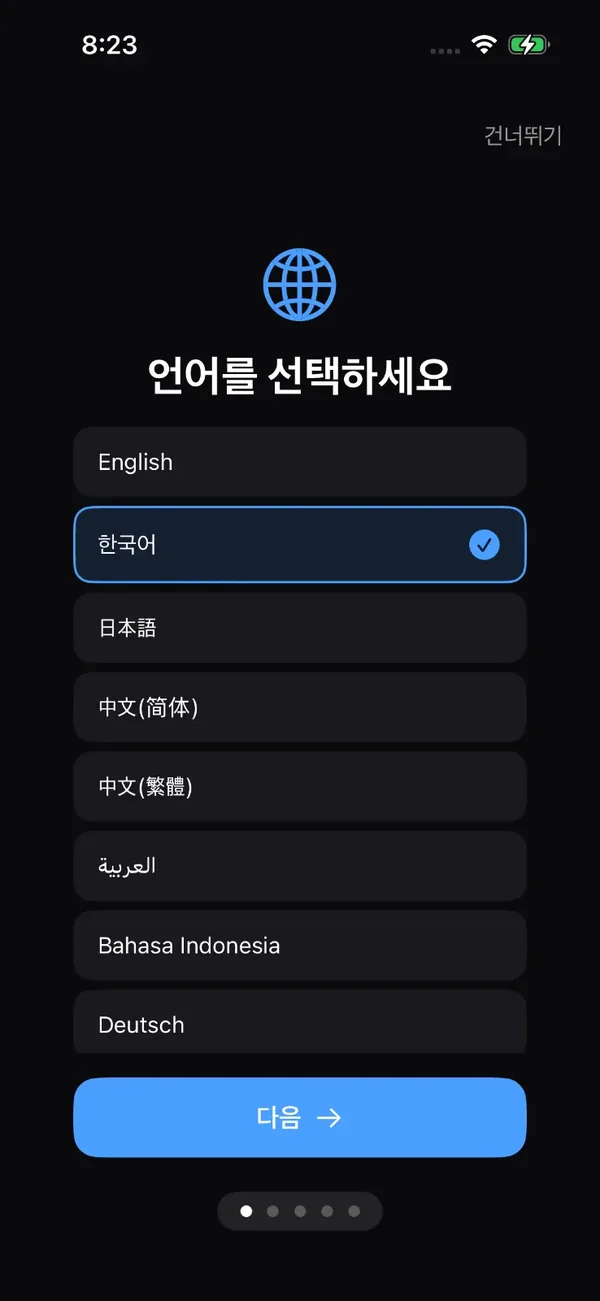
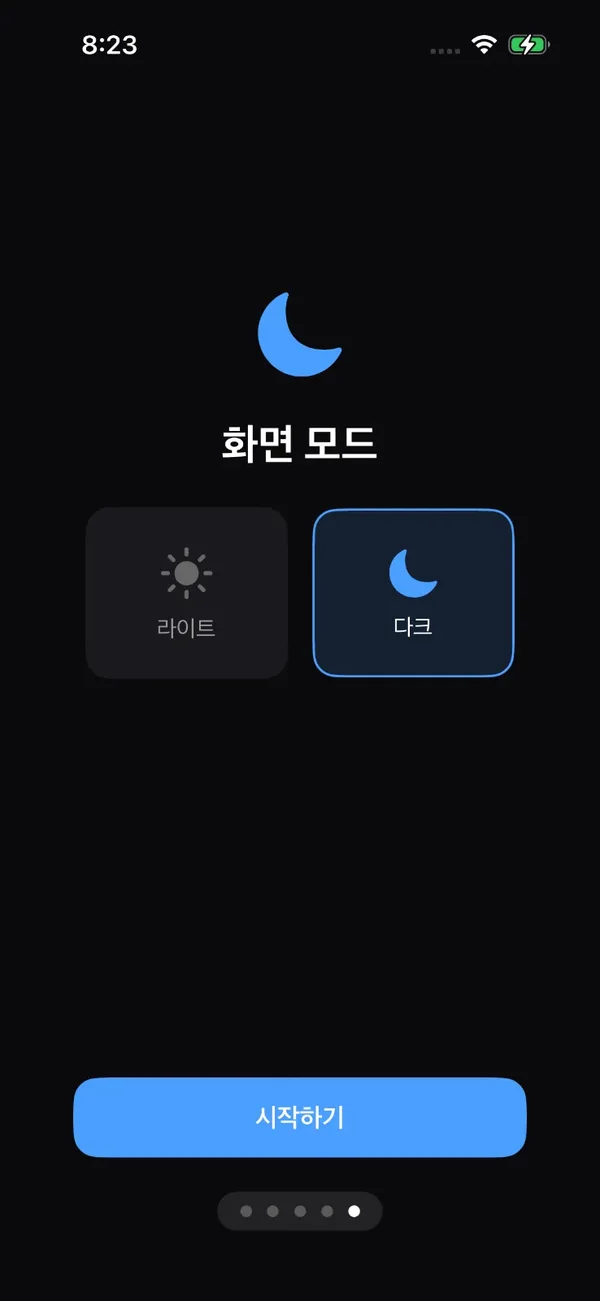
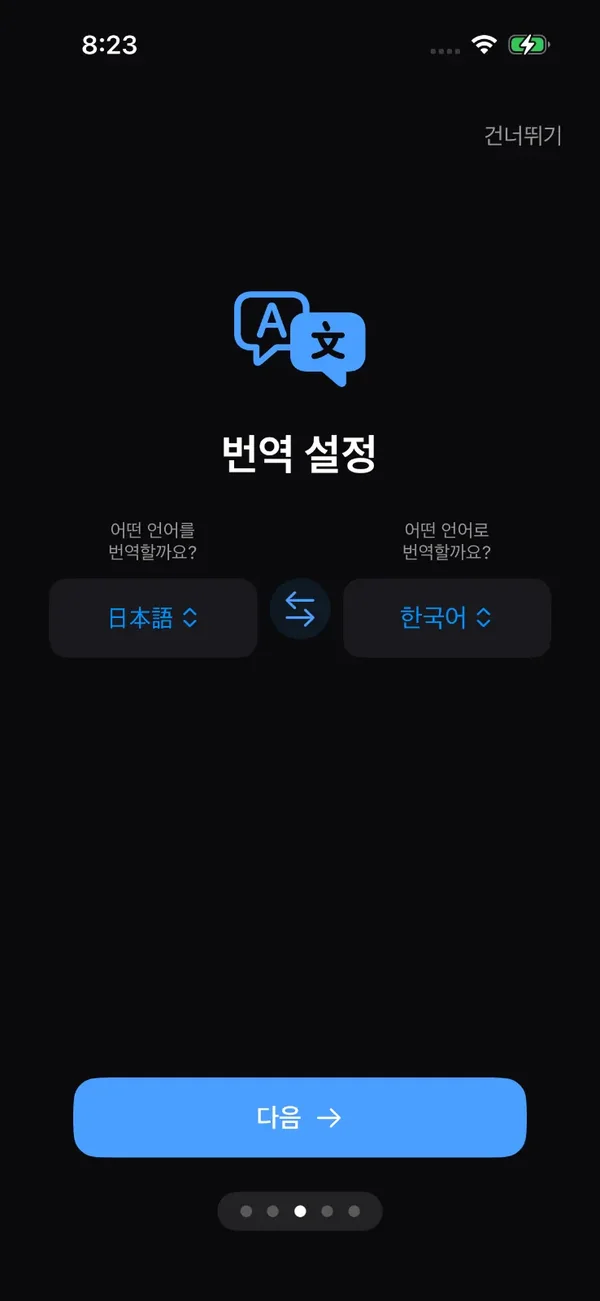
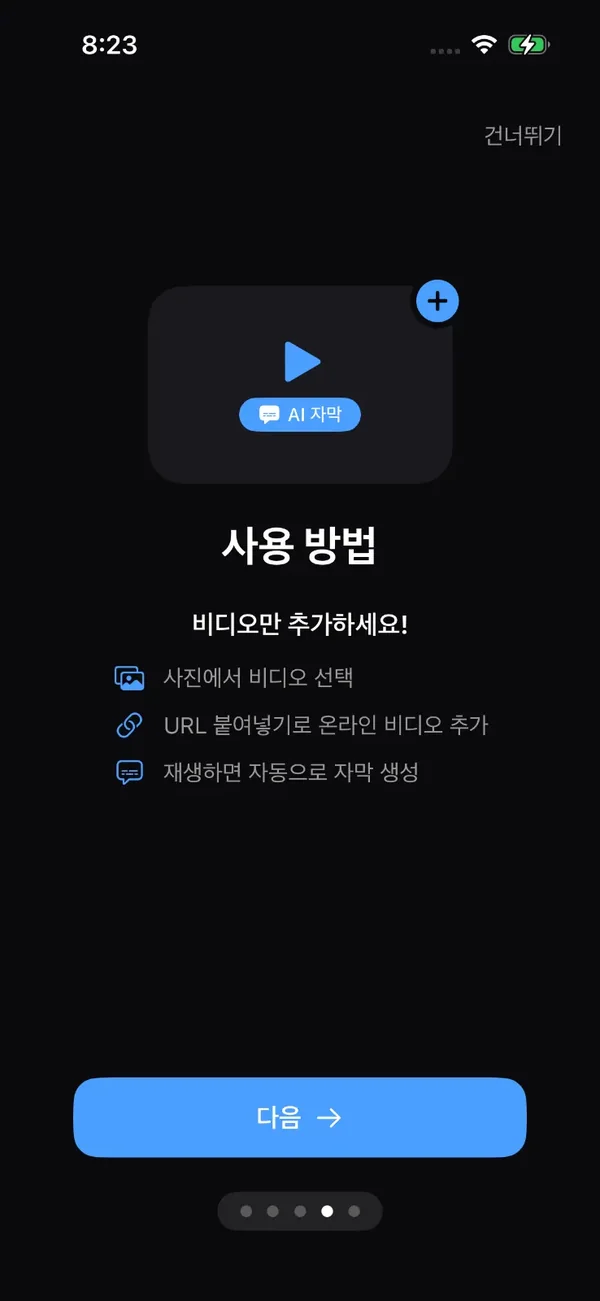
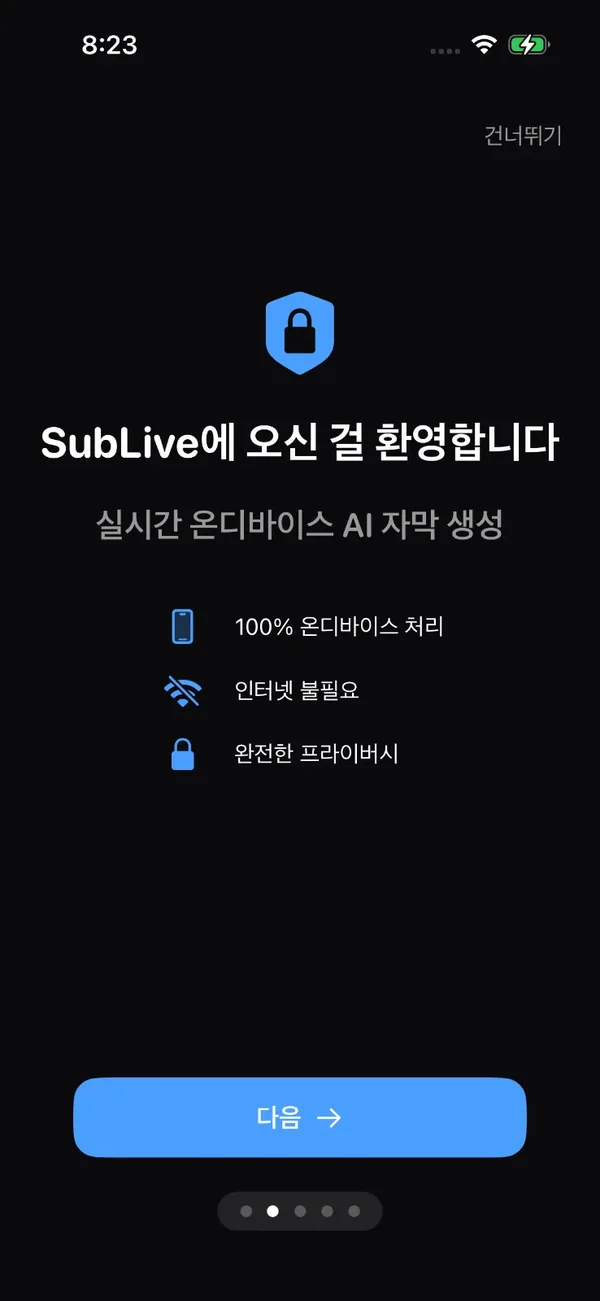
Real onboarding screens · development build · October 2026
실제 온보딩 화면 · 개발 빌드 · 2026년 10월
One video, three steps.
영상 하나, 세 단계.
All three steps work today in our development build. The third uses the Claude API.
세 단계 모두 지금 개발 빌드에서 동작합니다. 세 번째 단계는 Claude API를 사용합니다.
Your video
나의 영상
Pick a video from Photos or paste a link. Audio and video stay on your iPhone.
사진 보관함에서 고르거나 링크를 붙여 넣습니다. 음성과 영상은 iPhone에 남습니다.
Subtitles in your language
내 언어로 읽는 자막
Apple's on-device speech recognition and translation turn speech into timed, readable subtitles.
Apple 온디바이스 음성 인식과 번역으로 시점이 맞는, 읽기 좋은 자막을 만듭니다.
A study note worth keeping
다시 꺼내 보는 학습 노트
Opt-in summaries and vocabulary explained in context, each linked to the subtitle line it came from. Only the video's subtitle text is sent, never audio or video.
선택형 요약과 문맥 속 어휘 설명을 원래 자막 줄에 연결합니다. 영상의 자막 텍스트만 보내고 음성·영상은 보내지 않습니다.
From a talk to notes you can replay.
영상 한 편이, 다시 볼 수 있는 노트로.
Open the player menu, review exactly what will be sent, and SubLive asks Claude for a summary and vocabulary notes. Every item links to the subtitle where it appears, so one tap takes you back to that moment.
플레이어 메뉴에서 학습 노트를 열고, 보낼 내용을 확인하면 SubLive가 Claude로 요약과 어휘 노트를 만듭니다. 모든 항목이 해당 자막에 연결되어, 한 번 누르면 그 장면으로 돌아갑니다.
- Off by default; you review the lines and characters before anything is sent
- Only subtitle text leaves the device, never audio or video
- Claude Haiku 5.5 via our server, so no API key ships in the app
- Notes that do not match a real subtitle line are dropped, not shown
- 기본값은 꺼짐, 보내기 전에 자막 줄 수와 글자 수를 확인
- 기기 밖으로 나가는 것은 자막 텍스트뿐, 음성·영상은 보내지 않음
- 자체 서버를 거쳐 Claude Haiku 5.5 호출, 앱에는 API 키가 없음
- 실제 자막 줄과 맞지 않는 노트는 보여 주지 않음
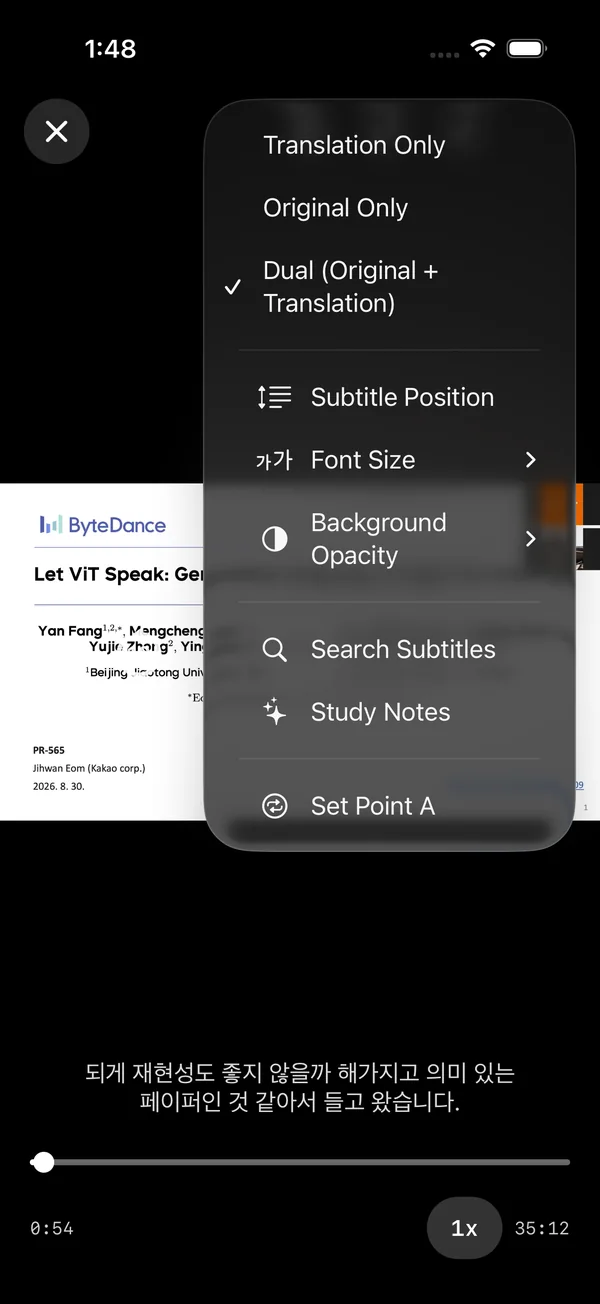
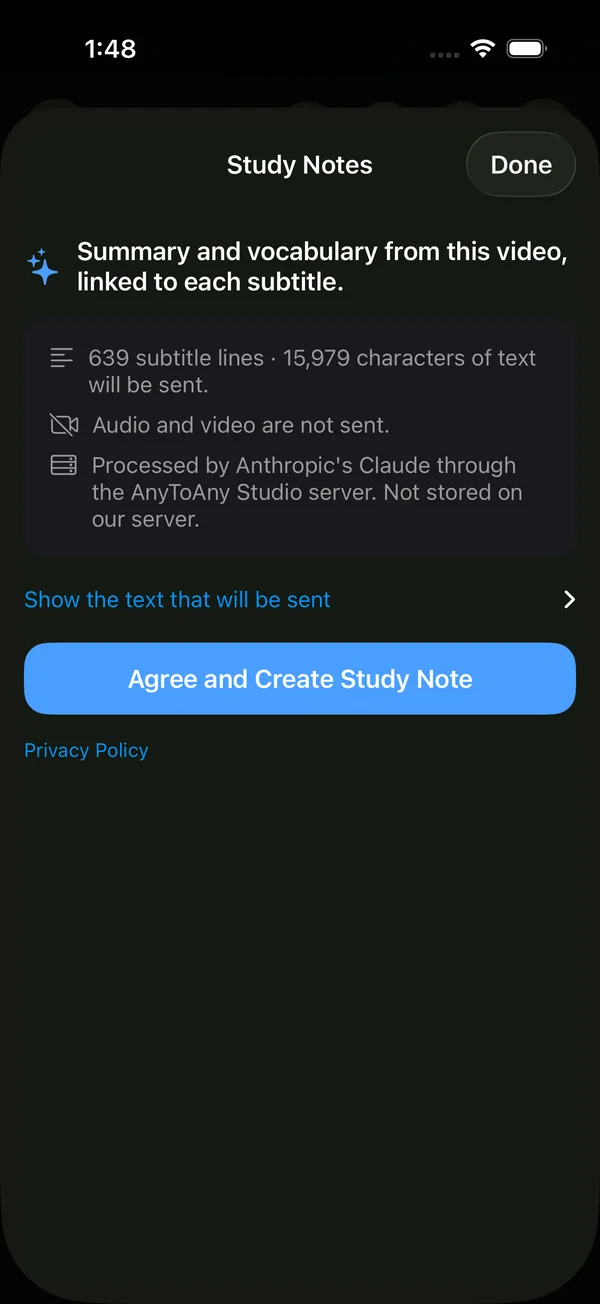
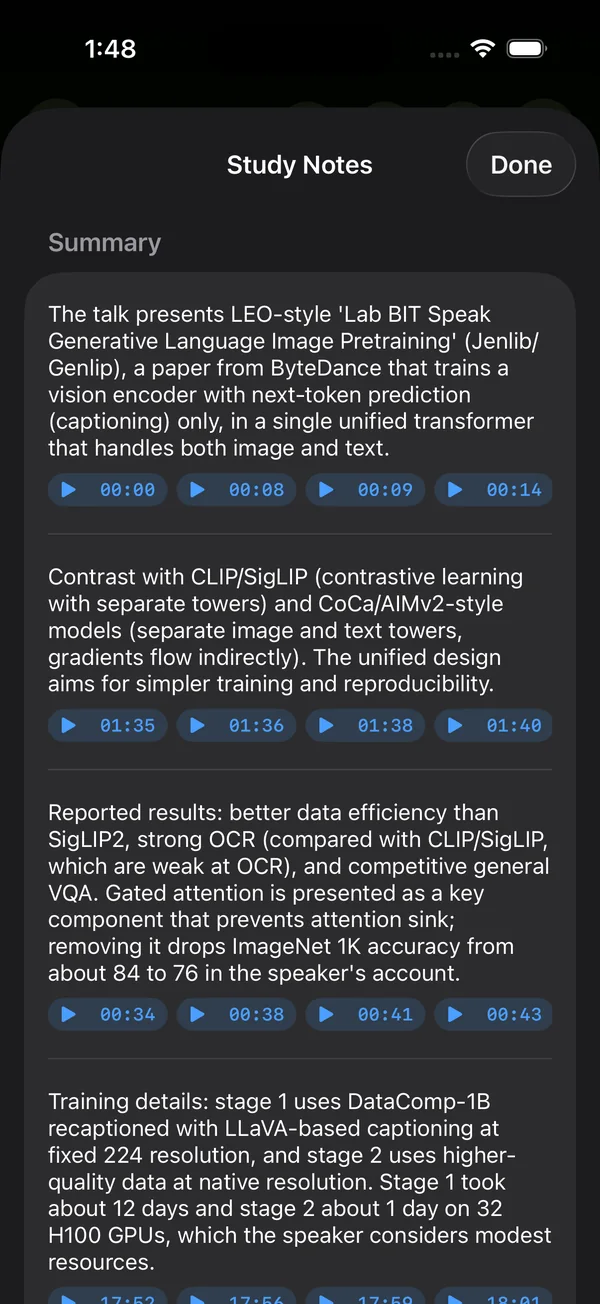
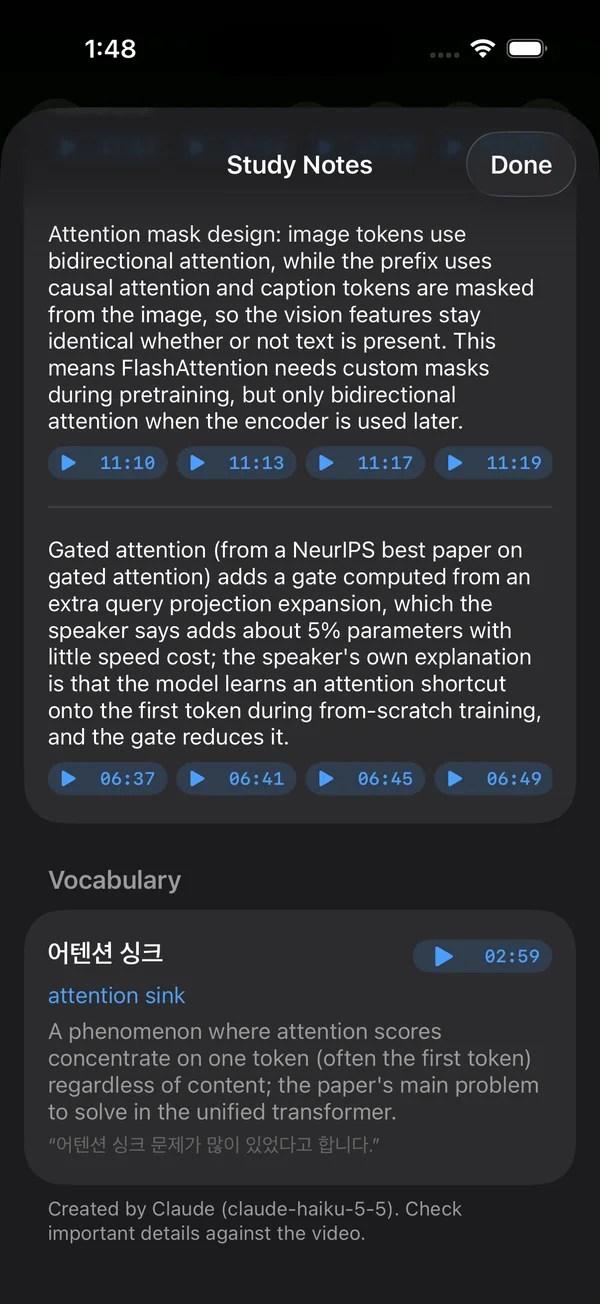
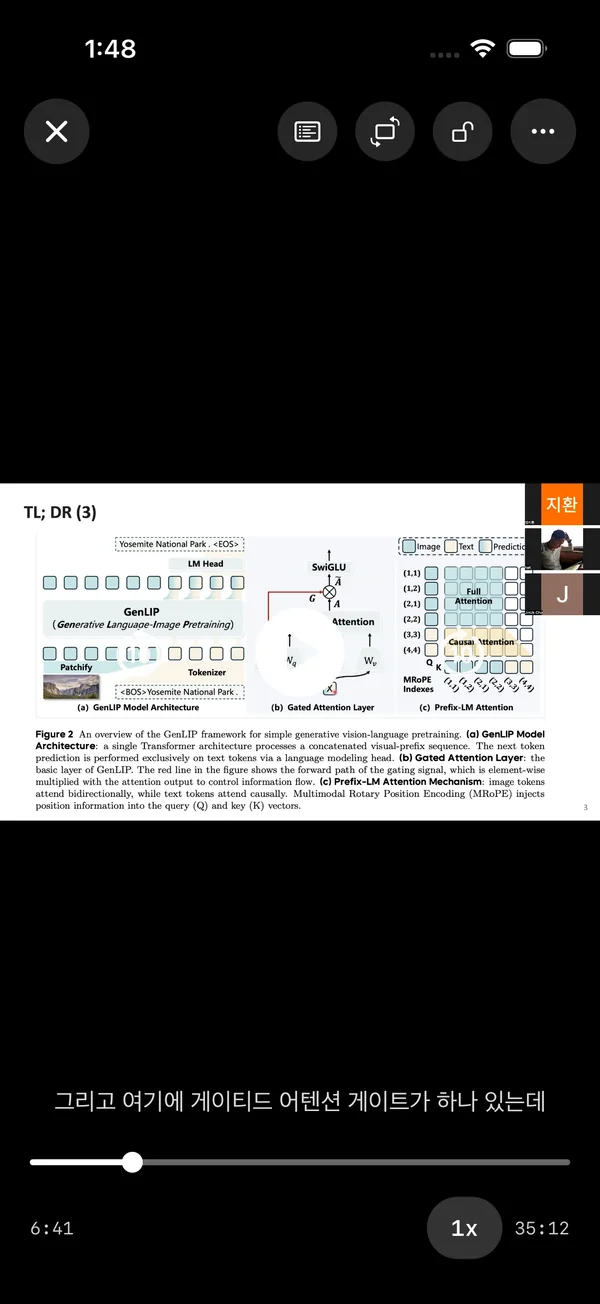
Screens from the SubLive development build (iOS Simulator), October 2026. The talk is a public video by our founder.
SubLive 개발 빌드 화면(iOS 시뮬레이터), 2026년 10월. 영상은 창업자가 공개한 발표입니다.
Three principles, every release.
모든 릴리스에 지키는 세 가지 원칙.
On-device first
기기 안에서 먼저
Speech recognition and translation run on the phone. No upload, no waiting on a server, and subtitles work offline.
음성 인식과 번역을 휴대폰 안에서 처리합니다. 업로드도, 서버 대기도 없고, 자막은 오프라인에서도 동작합니다.
Private by default
기본값은 프라이버시
No accounts, no ads, no tracking. Any cloud feature will be opt-in and clearly labeled.
계정, 광고, 추적이 없습니다. 클라우드 기능은 사용자가 직접 켜야만 동작하고, 명확하게 표시합니다.
Every language
모든 언어를 위해
Built for real multilingual use, from subtitle line breaks in Korean and Japanese to an interface in 21 languages.
한국어·일본어 자막 줄바꿈부터 21개 언어 인터페이스까지, 실제 다국어 사용을 기준으로 만듭니다.
A one-person studio from Korea.
한국의 1인 소프트웨어 스튜디오.
AnyToAny Studio was founded by Jihwan Eom on March 1, 2026, as a bootstrapped sole proprietorship in South Korea. SubLive is our first product. It is in development and has not launched on the App Store yet.
엄지환이 2026년 3월 1일 대한민국에서 개업한 1인 개인사업자로, 외부 투자 없이 운영합니다. 첫 제품 SubLive는 개발 중이며 아직 App Store에 출시하지 않았습니다.
We build SubLive with Claude Code. Subtitles and translation run on-device with Apple's frameworks. The optional Study Notes feature calls the Claude API through our own server; it works in our development build and is not released yet.
SubLive는 Claude Code로 개발합니다. 자막과 번역은 Apple 프레임워크로 기기에서 처리합니다. 선택 기능인 학습 노트는 자체 서버를 거쳐 Claude API를 호출하며, 개발 빌드에서 동작하고 아직 출시하지 않았습니다.
- Company
- 상호
- AnyToAny Studio애니투애니 스튜디오
- Legal form
- 사업 형태
- Sole proprietorship, South Korea
- 개인사업자(대한민국)
- Founded
- 개업일
- March 1, 2026
- 2026년 3월 1일
- Business reg. no.
- 사업자등록번호
- 359-03-03744
- Funding
- 투자
- Bootstrapped, no outside funding
- 외부 투자 없음
Say hello.
문의하기
Partnerships, press, or feedback. We read every message.
제휴, 취재, 의견 모두 환영합니다. 모든 메일을 읽습니다.